• Home
  • Travels
  • Reviews
  • Musings
  • Hacks
  • About
    • Me
    • Work with me
    • Notice
  • Contact
  • Home
  • Travels
  • Reviews
  • Musings
  • Hacks
  • About
    • Me
    • Work with me
    • Notice
  • Contact
The Bloggeram

Product reviews, lifestyle articles, travel tips, and life stories

How to print SSS SOA
Hacks,  Home

How to print SSS SOA

January 24, 2021 /

In this post, I will share with you how you can print your SSS Statement of Account (SOA) on the SSS portal.

[Edit: Here is the updated post with better screenshots.]

One of the several cases where you will be needing a printed copy of your SSS Statement of Account (SOA) is when you resign from your current employer. They usually require this as part of the exit process so they can validate your outstanding balance, settle it with SSS, and deduct it from your final pay unless, of course, you give them a notarized waiver.

Here are the simple steps on how you can view and print a copy of your SSS SOA on the SSS portal:

1. Log in to the SSS website. If you do not have an SSS online account, click on NOT YET REGISTERED IN MY.SSS?

How to print SSS SOA

2. Once you are redirected to the SSS homepage, hover your mouse to the INQUIRY menu and select LOANS INFO from the list.
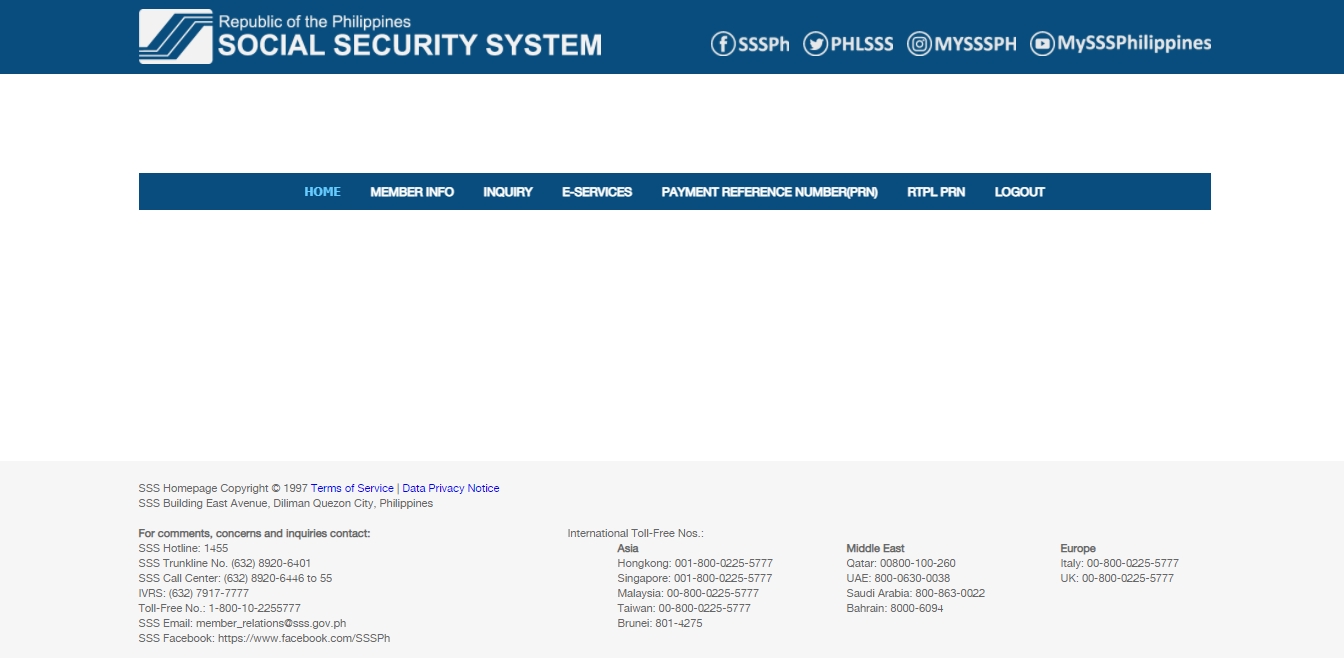
3. Select the applicable type of loan you have by clicking the appropriate tab to view the details. For this example, I clicked the SALARY LOAN tab.

4. Scroll down and under the section of LIST OF AVAILED LOAN(S), click the hyperlinked SALARY LOAN (using the example used here).

5. You should be redirected to the LOANS – STATEMENT OF ACCOUNT window which will show the details of the specific loan you selected/ clicked from the previous step.
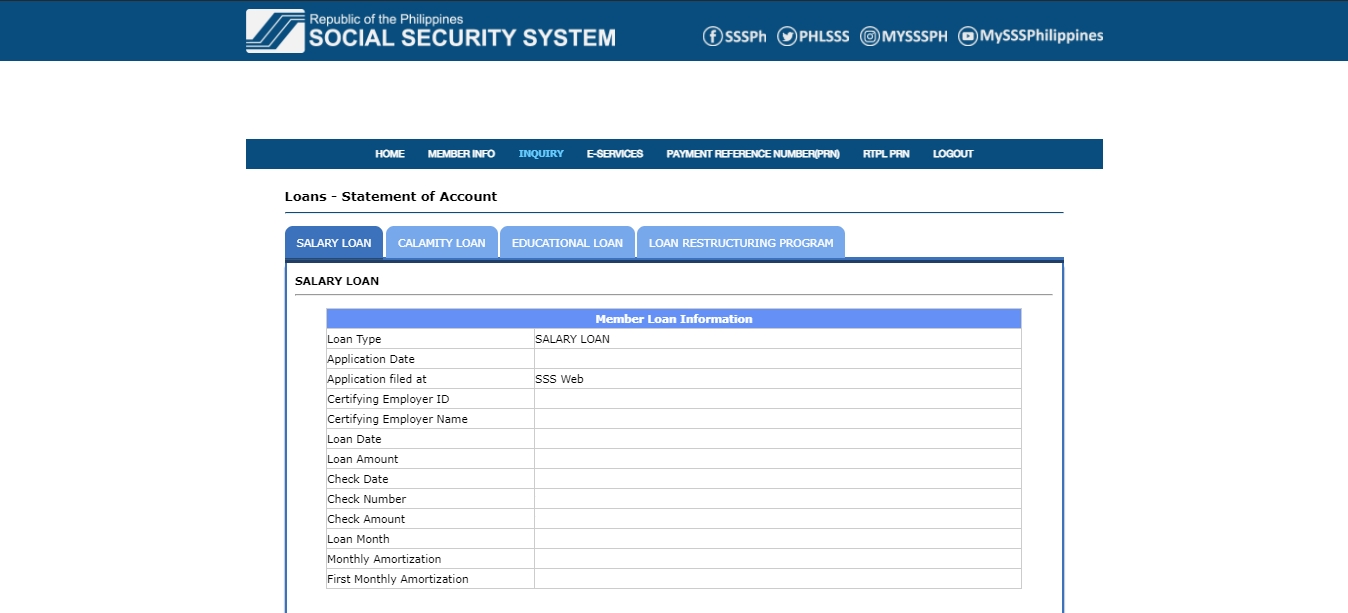
6. Once you are already seeing the SOA you want to print, press “CTRL” and “P” on your keyboard at once.

7. Then, select your preferred options in the PRINT Settings.

8. Click PRINT.

9. Do not forget to log out of your SSS account.

That is it.

Easy peasy lemon squeezy, right?

Do you know other ways to print SSS SOA? Let me know in the comments.


Edit: Here is the updated post with better screenshots. 


Previous Post
Next Post
Tweet
Share
Pin
0 Shares
How to print SSS SOASSS Statement of Account (SOA)the bloggeramthebloggeram
0 Comments
Review on Daiso Japan's Dehumidifier My Johnny Air experience and review

You May Also Like

COMELEC Registration 2021

COMELEC Registration 2021

August 26, 2021
How to Become a Certified Scrum Master

How to Become a Certified Scrum Master

December 22, 2020
Fix for PLDT Cannot Connect to Some Websites

Fix for PLDT Cannot Connect to Some Websites

July 6, 2020

SEARCH OUT

STAY UPDATED

STAY CONNECTED

Subscribe to my channel

Recent Comments

  • U DO U on Luljetta’s Hanging Gardens Spa: “Love the infinity pool and the view is so amazing.” Mar 17, 17:06
  • The Bloggeram on How to get an Individual Working Permit in Makati: “Hello, Gelyn! Based sa experience ko nung 2019, ok lang kahit sa ibang clinic nagpa-medical. Hindi ko sure kung nagbago…” Feb 21, 17:17
  • gelyn joy ilagan on How to get an Individual Working Permit in Makati: “hello ask ko lang po , ok lang po ba na sa iba ako magpa medical … wala po ba…” Feb 19, 03:39
  • The Bloggeram on How to get an Individual Working Permit in Makati: “Hello! Based on my experience in 2019, they gave back the PEME results except for the x-ray.” Feb 5, 13:50
  • Nc on How to get an Individual Working Permit in Makati: “Hello! just want to ask if they just need to see the PEME and x-ray and they’ll give it back…” Feb 1, 16:00
Privacy Policy | Copyright © 2025 • The Bloggeram | Terms and Conditions
Ashe Theme by WP Royal.